



Smart Watch Buying Guide 2026: How to Choose the Right One for Health, Fitness, Battery, and Everyday Life
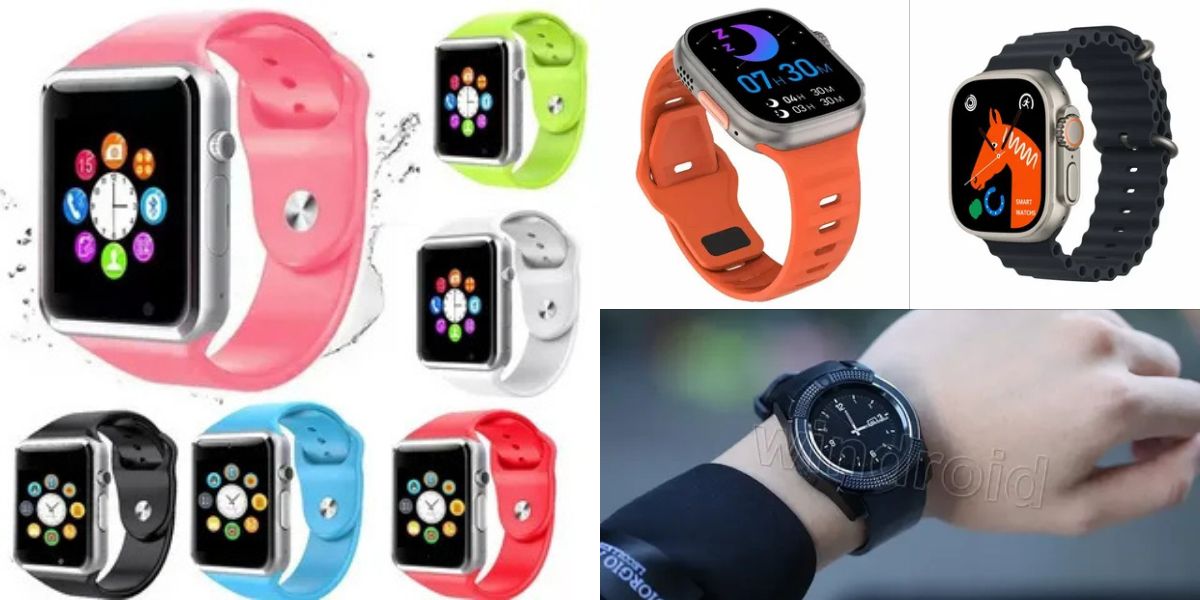
Smart Watch: Choosing a smart watch isn’t about finding the “most expensive” model—it’s about matching a wearable to your phone, your routine, and the jobs you actually want done on your wrist. For some people, the priority is notifications and calls. For others, it’s heart-rate accuracy, GPS reliability, and a battery that lasts long enough to support real training. The best purchases start when you stop shopping by hype and start shopping by use case.
This guide breaks down what a modern smart watch does, which features move the needle, and how to evaluate trade-offs like battery life versus display brightness, or health insights versus privacy. You’ll also learn how platforms like Wear OS emphasize connectivity and fitness goals, helping explain why today’s watches look more like “mini operating systems” than simple accessories.
What a smart watch is and why it’s more than a digital clock
A smart watch is essentially a wearable computer in watch form, typically operated through a touchscreen and paired to a smartphone for apps, notifications, and system-level features. The “smart” part isn’t just apps—it’s the combination of sensors, wireless connectivity, and software that can interpret activity, sleep, and routines in a way a traditional watch never attempted.
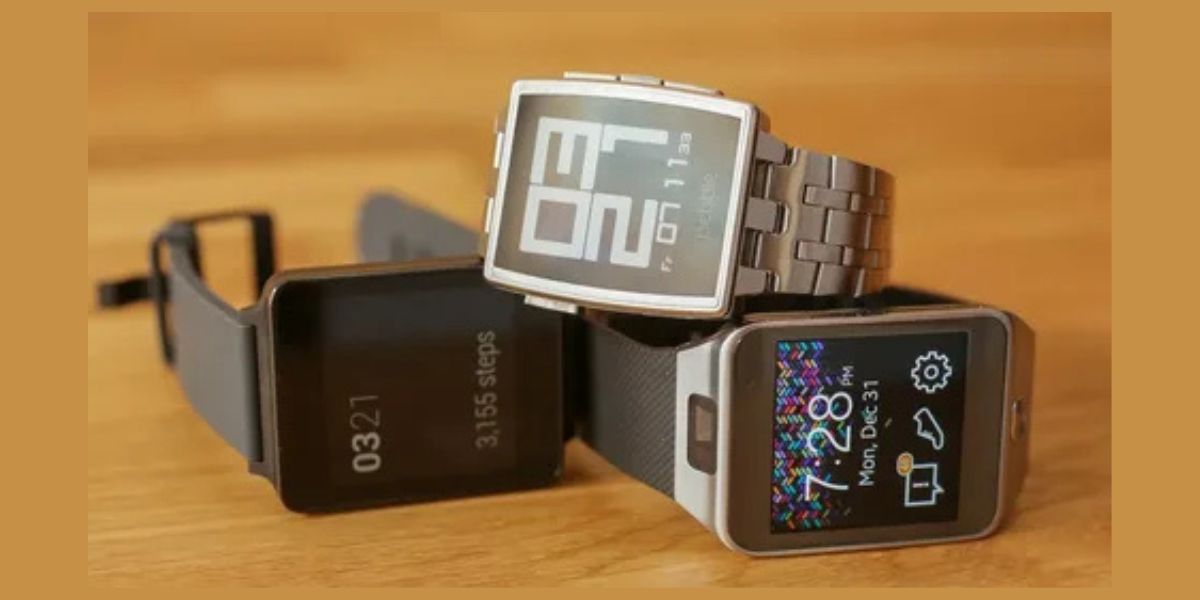
The reason the category keeps growing is that it solves small problems dozens of times per day. A quick glance replaces a pocket check. A tap replaces pulling out a phone to pay. A vibration replaces missing a call in a noisy place. Over time, those micro-saves add up, and that’s what turns a smart watch from a “nice gadget” into a daily driver.
How pairing works with your phone and why compatibility matters
A smart watch usually delivers its best experience when paired tightly with a phone ecosystem. Pairing typically enables message mirroring, call handling, app installs, media controls, and syncing of health data. Some watches can run partial features without a phone nearby, but the “full stack” experience—apps, updates, cloud sync—usually assumes a companion phone.
Compatibility is where buyers get burned. Many people shop on looks, then discover too late that some features are limited or missing with their phone brand. In practice, your phone decides what your smart watch can do elegantly, what it can do awkwardly, and what it can’t do at all—so this is the first constraint you should lock down.
Operating systems and ecosystems: watchOS, Wear OS, and brand platforms
Modern watches run full smartwatch operating systems, and the OS shapes everything: app availability, update cadence, battery efficiency, and how well features integrate with phone services. Wear OS, for example, is positioned around staying connected, fitness goals, and Google services like Maps and Wallet.
Here’s the practical takeaway: you’re not just buying hardware; you’re buying a software roadmap. A smart watch with a strong platform tends to improve over time, while a weak platform becomes a stagnant device with a pretty screen. When evaluating, look past the spec sheet and ask how the platform supports your everyday workflows.
Health features: heart rate, ECG, and what “medical-grade” really means
Health tracking is a major reason people buy a smart watch, but it’s also where marketing language gets slippery. Heart rate tracking is common, yet accuracy depends on sensor quality, skin contact, motion conditions, and algorithm tuning. “Advanced” features like ECG are not the same as a hospital test, but they can still be meaningful—especially when a device has a defined intended use cleared by regulators for specific detections.
For example, the FDA’s De Novo classification for Apple’s ECG app describes it as a software-only app intended to create a single-channel ECG similar to Lead I and to determine the presence of atrial fibrillation or sinus rhythm on a classifiable waveform. That’s a useful tool—but it’s not a blanket diagnostic replacement. If you buy a smart watch for heart insights, treat it as early signal detection and trend tracking, not a substitute for clinical care.
Fitness tracking: steps are basic, training insights are the real value
Nearly every smart watch counts steps, but the real value for active users is training structure: heart-rate zones, recovery estimates, VO₂ max approximations, guided workouts, and sport-specific metrics. Where watches differentiate is how well they turn raw sensor data into coaching signals you can actually act on: “push today,” “recover today,” or “you’re under-fueled and overreaching.”
Fitness tracking also becomes more credible when paired with strong GPS and repeatable performance metrics. Runners and cyclists care about whether pace and distance stay consistent across routes, or whether the watch drifts in dense city environments. If your priority is performance training, choose a smart watch platform known for sport analytics and GPS reliability rather than one that primarily optimizes for lifestyle features.
GPS and outdoor reliability: why athletes choose differently than casual users
Outdoor users tend to judge a smart watch by what happens when conditions are imperfect: poor visibility, long sessions, sweaty wrists, or navigation needs far from a charger. GPS performance, water resistance, and ruggedness often matter more than app variety. Even mainstream reviews of sport-focused watches emphasize practical metrics—GPS quality, heart-rate accuracy, and battery behavior under real training loads.
The second factor is endurance. A bright display is great—until it forces daily charging. Sport-first devices often trade “smart” extras for longer battery life and training depth. That’s not a downgrade; it’s a design choice aligned to people who need their smart watch to survive long sessions and multi-day use without anxiety.
Notifications, calls, and productivity: the everyday “wrist assistant” layer
For most people, the best part of a smart watch is that it reduces phone friction. Notifications on the wrist let you triage instantly: ignore, respond quickly, or escalate to the phone. Calls on the wrist can be surprisingly useful for short conversations, especially when your hands are occupied. This is where microphones, speakers, haptics, and good UI design matter more than raw CPU specs.
Productivity features also include timers, calendars, quick replies, voice notes, and reminders. The experience depends heavily on OS integration and app maturity. If you want your smart watch to behave like a frictionless extension of your phone, prioritize ecosystem alignment and software polish—not just the most impressive hardware list.
Payments and passes: convenience that changes daily behavior
Tap-to-pay is one of those features that seems minor until it becomes habitual. A smart watch with a wallet feature can store payment cards and passes, letting you buy coffee, open a gym gate, or show a boarding pass without reaching for your phone. Wear OS highlights wallet passes such as event tickets and memberships as part of its core value proposition.

The practical nuance is setup and regional support. Payments depend on banks, local availability, and secure device authentication. If you travel or use multiple wallets, confirm compatibility before purchase. A smart watch that supports payments reliably can shift your routine—especially for quick errands where a phone feels like overkill.
Battery life and charging: the trade-off almost nobody escapes
Battery life is the most common reason people abandon a smart watch or feel disappointed after the novelty fades. Bright always-on displays, LTE, GPS workouts, and continuous sensor tracking all consume power. The core question is not “How many days?” but “How many days with my settings?” A sports watch might last longer by skipping streaming apps, while a feature-rich watch might require daily charging.
Your best strategy is to match battery expectations to routine. If you hate daily charging, buy for battery first and accept fewer “phone-like” features. If you’re fine charging nightly like a phone, prioritize UI, apps, and sensors. A smart watch is only as good as your willingness to keep it powered—so be honest about your habits.
Display, comfort, and materials: the “wearability” test
A smart watch is not like a phone you can set down—it lives on your body, which means comfort and ergonomics are performance features. Case size, weight, strap materials, and sensor bump design affect whether you wear it consistently. A device that feels great for an hour can feel annoying after eight hours if edges dig in or straps trap sweat.
Display types (OLED/AMOLED vs other technologies) influence readability, battery use, and outdoor visibility. Some sport watches favor display efficiency and sunlight readability; others favor vibrant colors and smooth UI. The right smart watch is the one you forget you’re wearing—until you need it.
Connectivity: Bluetooth, Wi-Fi, LTE, and the “phone-free” promise
Many watches rely on Bluetooth to your phone, while some offer Wi-Fi and optional LTE. LTE can be transformative if you run or commute without your phone, but it adds cost, power consumption, and another plan to manage. A smart watch with cellular becomes more independent, enabling calls, messages, and some streaming while leaving the phone behind.
The key is understanding what “independent” really means. Even with LTE, many features still assume phone pairing for setup, app installs, and syncing. If your goal is truly phone-free days, you should evaluate a smart watch and its ecosystem based on how gracefully it handles standalone use, not just whether LTE exists.
Privacy and data: how to think like a grown-up about wearables
Wearables collect intimate data: movement patterns, sleep times, heart trends, locations, and sometimes health-event signals. The right question is not “Is it private?” but “What data is collected, where is it stored, and what controls do I have?” A smart watch can improve your life, but it also becomes a sensor node that deserves the same security thinking as a laptop or phone.
In practical terms, you want strong account security (MFA), transparent settings, and clear export/delete options. You also want to be cautious about third-party apps. If you treat your smart watch as “just a watch,” you may ignore the fact that it’s a personal data generator—one that can reveal more about you than your social posts ever will.
Which smart watch to buy for iPhone users
If you use an iPhone, your best smart watch experience typically comes from tight integration: message handling, call continuity, health syncing, and smooth setup. The real advantage isn’t a single feature; it’s fewer friction points. Your watch becomes a reliable extension of your phone rather than a device you constantly troubleshoot.
The strategic advice is simple: decide whether you want health-first, lifestyle-first, or hybrid. If you want a “watch that behaves like iOS on your wrist,” prioritize ecosystem compatibility above all. If you want battery endurance or sport specialization, you may consider sport-first options but should confirm how well they sync with iOS workflows.
Which smart watch to buy for Android users
Android users have more ecosystem flexibility, but that also increases decision complexity. Many Android buyers choose a smart watch based on Wear OS compatibility and Google service integration—Maps, Wallet, media controls, and messaging. Google’s Wear OS messaging is explicit about connecting to apps and wellness features from the wrist.
The practical move is to decide whether you value platform features (apps, payments, voice assistant) or sport depth (training analytics, long battery). Android users can get both, but usually not at peak levels in the same device. A smart watch that matches your real routine will feel effortless; one that matches an online spec war will feel like work.
Sports and outdoors: when a smart watch becomes training equipment
For runners, cyclists, hikers, and multi-sport athletes, a smart watch is training equipment. You care about GPS consistency, sensor stability, workout metrics, and whether the watch helps you make better decisions—not just whether it shows notifications. Reviews of sport-focused models frequently emphasize metrics quality, training features, and real-world battery behavior because that’s what determines usefulness over months, not days.
If your training is serious, prioritize the ecosystem that supports it: coaching features, app ecosystem for sport analysis, route tools, and reliable syncing. The best sport-centric smart watch is the one that improves your training decisions with minimal friction, not the one that tries to do everything and ends up doing sport “okay.”
Budget strategy: how to buy value without buying regrets
A smart watch is a fast-moving category, which means value often lives in last-generation models, mid-tier devices, or sport watches that focus on fundamentals. The biggest budget mistake is paying for features you won’t use—like LTE if you never leave your phone behind, or advanced sport analytics if you walk and occasionally jog.

The best value strategy is to buy for your “non-negotiables” and ignore the rest. If you need reliable notifications, comfortable wear, and solid battery, get those first. If you need GPS and training depth, buy for that first. A smart watch that nails your core needs will outperform a “flagship” that forces compromises in the areas you actually care about.
Setup and best practices that make your smart watch feel effortless
The difference between loving your smart watch and forgetting it exists often comes down to setup. Disable noisy notifications, keep only high-value apps on the wrist, and configure health tracking to match your goals. For example, sleep tracking is only helpful if you actually review it and adjust routines; otherwise it becomes background noise.
The second best practice is maintenance: update firmware, clean sensors, and treat straps as replaceable comfort components. A good smart watch becomes better when you tune it like a daily tool rather than treating it like a toy. When tuned correctly, it reduces friction, improves awareness, and quietly supports better habits.
Conclusion: the smart watch that wins is the one you actually wear
The best smart watch is not the one with the flashiest headline feature. It’s the one that fits your phone ecosystem, survives your daily schedule, and makes you feel more in control—of time, communication, health signals, and routines. If it’s uncomfortable, confusing, or always dying, it will end up in a drawer, no matter how impressive it looked online.
Start by choosing your primary use case, then pick the platform and battery profile that supports it. Treat health features with respect for their intended use, and treat privacy as part of the purchase decision. When you buy that way, a smart watch stops being a gadget and becomes a reliable part of your life.
FAQs
What is a smart watch used for?
A smart watch is used for notifications, calls, health tracking, fitness workouts, payments, and quick actions that reduce how often you need to pull out your phone.
How do I choose the best smart watch for my phone?
Choose a smart watch that matches your phone’s ecosystem and services, because compatibility determines app support, messaging quality, and how smoothly health data syncs.
Is a smart watch accurate for heart rate and ECG?
A smart watch can be accurate enough for trends and certain supported detections, but it’s not a complete diagnostic tool; ECG features have specific intended uses and limitations.
What matters more: battery life or features?
For most people, battery life matters more because a smart watch only helps if it’s charged; features matter most after you confirm the battery fits your routine.
Can I use a smart watch without my phone nearby?
Many models can do basics without the phone, and LTE models can do more, but a smart watch typically still relies on the phone for setup, updates, and full syncing.
Do smart watches help with fitness even if I’m not an athlete?
Yes—a smart watch can improve basic activity habits through reminders, step goals, sleep insights, and easy workout tracking, even if you’re not training seriously.