

How to Create YouTube Thumbnails Using Midjourney AI
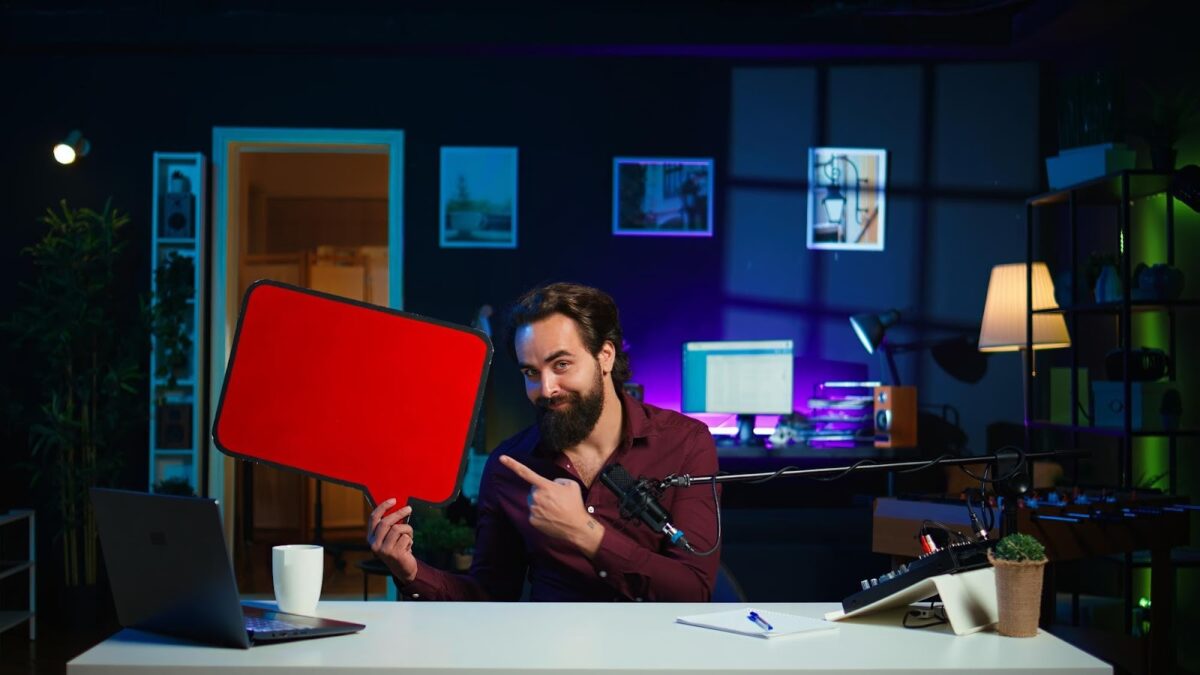
YouTube thumbnails play a decisive role in whether a video gets clicked or ignored. According to YouTube Thumbnails Creator Academy, more than 70 percent of videos are discovered through recommendations, and thumbnails strongly influence click-through rate. As competition increases across nearly every niche, creators are turning to AI-powered tools to design professional visuals faster and with more consistency.
Midjourney AI has become one of the most powerful tools for generating high-quality images from simple text prompts. With improved photorealism, better prompt accuracy, and emerging 3D-style capabilities, it allows creators to produce attention-grabbing thumbnails without relying on advanced design skills. This guide explains how to create YouTube thumbnails using Midjourney AI while maintaining clarity, creativity, and performance.
What makes a YouTube thumbnail effective?
A strong thumbnail communicates value instantly and sparks curiosity without misleading viewers.
Effective thumbnails typically rely on one clear focal point, expressive emotion, and strong contrast. Data from YouTube Thumbnails optimization studies shows that thumbnails featuring faces can increase click-through rates by up to 30 percent. Color contrast and simplicity also matter, especially on mobile devices, which now account for more than 60 percent of YouTube views.
Midjourney AI excels in this area because it generates expressive faces, cinematic lighting, and clean compositions that naturally draw attention. Instead of spending hours searching for stock images or designing from scratch, creators can quickly generate multiple visual concepts and test what resonates best with their audience.
What is Midjourney AI and why is it useful for thumbnails?
Midjourney AI is a text-to-image generation tool that creates detailed visuals based on written prompts.
Unlike basic image generators, Midjourney AI focuses heavily on artistic quality, lighting realism, and visual storytelling. Creators can describe exactly what they want, such as emotional expressions, dramatic lighting, or stylized backgrounds, and receive multiple variations in seconds. This makes it especially effective for thumbnail creation, where visual impact matters more than fine detail.
Many creators use midjourney ai on invideo as part of a broader content workflow. This approach allows thumbnail visuals to align seamlessly with video branding, ensuring consistency across long-form videos, Shorts, and channel artwork.
How do you write effective prompts for YouTube thumbnails?
The quality of a thumbnail depends heavily on the clarity of the prompt.
Strong prompts usually include four components: the subject, emotional tone, environment, and visual style. For example, instead of writing a generic prompt, creators see better results with descriptions like “close-up of a surprised YouTuber Thumbnails, wide eyes, cinematic lighting, high contrast, sharp focus, 16:9 aspect ratio.”
Midjourney AI responds particularly well to photography-related terms such as “studio lighting,” “shallow depth of field,” and “photorealistic.” Including the 16:9 aspect ratio helps ensure the image fits YouTube Thumbnails thumbnail requirements without heavy cropping later.
Most creators generate several variations per idea, then refine their prompts based on which images deliver the strongest visual clarity and emotional response.
How do you generate thumbnail images step by step?
The thumbnail creation process with Midjourney AI is repeatable and efficient.
First, identify the core idea of the video. Thumbnails perform best when they highlight a single concept rather than multiple messages. Next, write a focused prompt and generate several image options. Reviewing variations helps identify the strongest composition and facial expression.
After selecting the best image, creators often perform light refinements such as cropping, sharpening, or adjusting brightness. At this stage, some creators integrate their visuals into a broader production workflow. Pairing thumbnails with an ai video generator helps maintain consistent visual style across videos, intros, and Shorts, especially for channels publishing at scale.
How should text and branding be added to AI-generated thumbnails?
Text should support the image, not compete with it.
Studies show that thumbnails with fewer than six words tend to perform better, as they remain readable on small screens. Bold fonts, high contrast, and clear spacing improve visibility. Instead of repeating the video title, text should add emotional or contextual intrigue.
Midjourney AI images often have cinematic depth, which makes it important to place text in areas with negative space. Slight background blur or dark overlays can improve readability without reducing image quality. Consistent use of fonts, colors, and visual cues helps build brand recognition over time.
Some creators A/B test thumbnail variations, and data suggests that even minor changes in expression or wording can improve click-through rates by 10 to 20 percent.
How does Midjourney AI compare to traditional thumbnail design?
Midjourney AI significantly reduces both time and cost compared to traditional design methods.
Professional thumbnail design can cost anywhere from $5 to $50 per image, depending on experience and turnaround time. Manual design also requires familiarity with editing software and access to quality assets. Midjourney AI allows creators to generate dozens of concepts in minutes, making experimentation faster and more affordable.
That said, human judgment remains essential. The most successful creators treat AI as a creative assistant rather than a replacement. Strong prompts, thoughtful selection, and performance tracking still determine success.
Can Midjourney AI improve click-through rates?
AI alone does not guarantee higher performance, but it enables faster optimization.
YouTube Thumbnails analytics consistently show that thumbnails and titles play a major role in video visibility. By using Midjourney AI, creators can test more visual ideas in less time. This increases the likelihood of identifying thumbnail styles that resonate with viewers.
Channels that iterate based on real performance data often see steady improvements in impressions and engagement, especially when visuals remain consistent across uploads.
What mistakes should creators avoid with AI thumbnails?
Overcomplication is one of the most common mistakes.
Busy images, unclear focal points, or unrealistic facial details can reduce effectiveness. Another mistake is creating thumbnails that do not accurately reflect the video content, which can harm audience trust. AI-generated visuals should always support the video’s promise, not exaggerate it.
Regularly reviewing thumbnail performance and refining prompts based on results helps avoid these pitfalls.
Conclusion
Creating YouTube thumbnails using Midjourney AI allows creators to elevate their visual presence while saving time and resources. By focusing on clear prompts, strong visual storytelling, and consistent branding, creators can design thumbnails that stand out in crowded recommendation feeds.
As AI tools continue to improve in realism and creative control, they are becoming a core part of modern content workflows. When used strategically, Midjourney AI empowers creators to focus less on design friction and more on producing content that attracts, engages, and retains viewers.