

Synthesia AI in 2026: How It Works, Best Features, Pricing Reality, and Whether It’s Worth It

Synthesia AI in 2026: If you’ve been researching synthesia ai, you’re likely trying to solve a very modern problem: creating consistent, professional video without the usual production bottlenecks—cameras, studios, scheduling, reshoots, and endless localization work. In 2026, video is no longer a “nice to have.” It’s how companies train teams, ship product updates, support customers, and communicate change at scale. The catch is that traditional video production doesn’t scale cleanly.
Synthesia sits in the category of AI video platforms that turn text (and other inputs) into videos featuring lifelike AI presenters, along with voiceovers, templates, and built-in localization tools. The real story isn’t just that the tech works. It’s that teams can build a repeatable workflow: draft a script, generate a video, translate it, update it later, and keep everything on-brand—without starting from scratch every time. Synthesia itself describes a free plan with a monthly video allowance and voices in 160+ languages, which hints at how strongly the product is positioned around accessibility and scale.
What Is Synthesia AI and How Does It Work?
Synthesia AI is a browser-based AI video platform designed to help teams create presenter-led videos from text and other content inputs. In practical terms, you choose a template (or start from scratch), select an AI avatar (stock or custom), add your script, choose a voice and language, and generate a video you can edit and share. Synthesia’s own feature pages emphasize that you can start from a text prompt, paste a script, upload a document (like a PowerPoint or PDF), or even provide a URL to transform web content into video—then customize the output with avatars and voices.
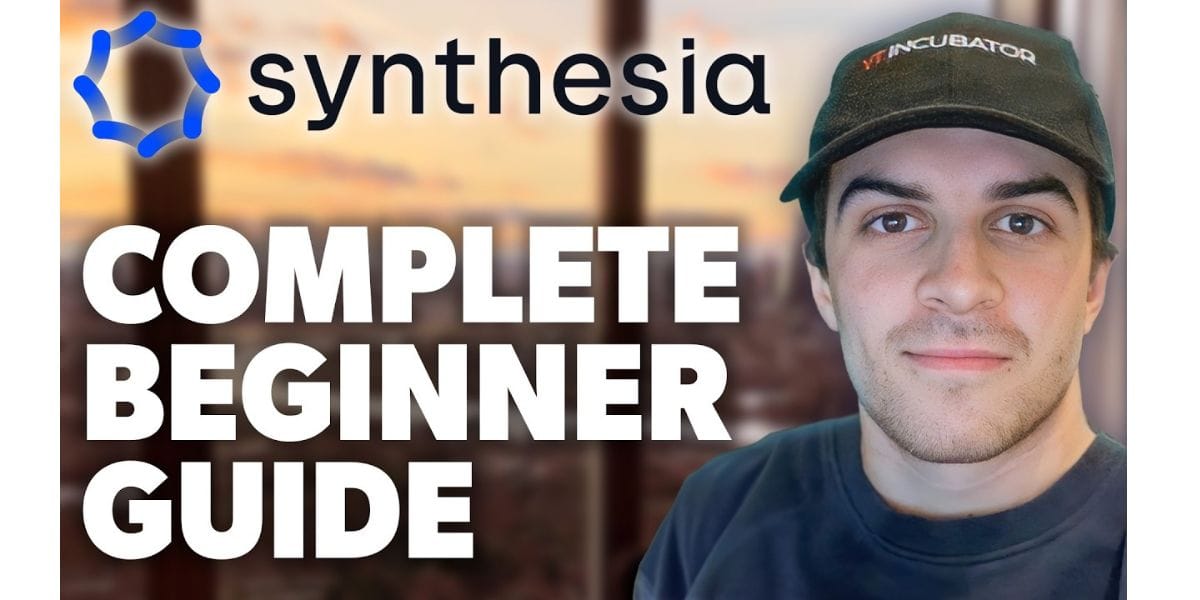
Under the hood, the “how it works” is a pipeline: your script becomes a structured video plan, the avatar’s speech and mouth movements are synthesized to match the audio, and visual elements (layouts, backgrounds, animations, screen recordings) are composed in an editor. What matters operationally is not the model architecture; it’s the controllability. Teams don’t want “random creative.” They want repeatability: the same intro style, the same tone, the same brand visuals, and the ability to swap one paragraph of script and regenerate a section without re-shooting. That’s the day-to-day productivity unlock that makes this tool category stick.
Why Synthesia Is Showing Up in Enterprise Video Workflows in 2026
A lot of AI video tools are built for fast social content. Synthesia AI has leaned hard into business use: training, internal comms, customer education, and sales enablement. You can see that positioning directly in how Synthesia AI frames the product as an “AI video platform for business,” and in the way it highlights collaboration and translation as core capabilities rather than add-ons.
In 2026, the reasons enterprises care are straightforward. Video is expensive to update, and most business video becomes outdated quickly. Policies change, product UI changes, compliance requirements change, and teams rebrand. The workflow advantage is being able to treat video like a living asset: update the script, regenerate the segment, and redeploy—without reconvening a production team. That shift from “project-based video” to “continuous video operations” is one of the biggest reasons Synthesia AI keeps appearing in modern content stacks.
What Are the Key Features of Synthesia AI in 2026?
The feature set that matters most in 2026 is the combination of expressive avatars, scalable localization, and collaboration controls. Synthesia AI highlights its “Express-2” avatars as more expressive—able to gesture like professional speakers and respond to scripts with natural body language cues. That’s meaningful because presenter-led video is only persuasive when it feels human enough to hold attention.
Equally important are workflow features that don’t look glamorous in demos but define adoption in real teams: templates, shared workspaces, brand kits, SSO, permissioning, and governance. Synthesia’s ecosystem surfaces these as part of enterprise readiness, and it also emphasizes translation and “1-click” localization across many languages as a foundational capability. When you connect the dots, the “key features” aren’t a random list—they form an operating system for video creation across departments.
Expressive Avatars That Feel Like Presenters, Not Props
The biggest user-facing leap in AI presenter video is believability. Synthesia AI Express-2 direction is explicitly about full-body expressiveness: facial expressions, lip sync, and natural hand/body gestures that match the script’s intent. Their own write-ups describe Express-2 as a new avatar engine focused on making delivery feel more like a real speaker—closer to how humans emphasize key points in meetings or training sessions.
For practical use, this means fewer “dead eyes” moments and fewer robotic rhythms that make viewers tune out. It also means you can choose the right presenter style for the moment: friendly onboarding tone, confident product expert tone, or calm compliance tone. The best teams treat avatar choice like casting: you standardize a few presenters for your brand, and you build recognition over time, the way a company might reuse the same narrator in explainer videos.
Custom Avatars and Identity: Scaling a Human Presence Responsibly
Custom avatars are where AI video becomes strategic, because you’re no longer borrowing a generic presenter—you’re scaling a specific person’s presence. Synthesia AI positions custom avatars as something you can create by recording a short video, which the system then processes into a digital version you can use for typed-script video generation. This is designed for branded training, consistent executive updates, or product education that feels “from your team” rather than “from the internet.”
This is also where governance becomes non-negotiable. Identity isn’t just a creative asset; it’s reputational risk. In 2026, responsible teams define rules: who can request a custom avatar, who can publish with it, and how approvals work. The best practice is to treat avatars like brand credentials—managed, permissioned, auditable—so the scalability doesn’t come at the cost of trust.
Multilingual Video Translation and Dubbing: The Real Scale Multiplier
Localization is where video budgets go to disappear. Synthesia AI pushes aggressively into translation and dubbing, describing a workflow where a single video can be translated into many languages with lip synchronization and voice preservation. On its video translator pages, Synthesia AI emphasizes “frame-accurate lip-sync” and preserving the original speaker’s identity, which matters because global audiences notice when dubbing feels off.

The strategic consequence is that teams can stop treating language expansion as a special project. Instead, translation becomes a standard step in the publishing pipeline. A global enablement team can produce an English training module, localize it into priority markets, and ship simultaneously—without hiring separate voice talent and editors for each region. That’s not just cost savings; it’s speed, consistency, and fewer policy mismatches across markets.
From Text, Docs, and URLs to Video: How Production Actually Happens
Most people think AI video starts with a script. In practice, teams start with messy inputs: internal docs, product pages, PowerPoints, SOPs, or a support article that’s too long. Synthesia AI describes multiple input methods—text prompt, pasted script, uploaded documents, and URLs—and that flexibility is a major reason it fits business workflows. You’re not forcing a new process; you’re converting the content you already maintain into a video layer.
A strong workflow looks like this: content owner provides the source material, the creator translates it into a tight script and storyboard, the editor enforces brand and pacing, and the stakeholder approves. The competitive advantage comes from reusability. When the underlying policy changes, you update the source doc, adjust the script, regenerate the affected scene, and keep the rest. That is fundamentally different from traditional video, where a small change often means a full re-edit or a reshoot.
Templates, Workspaces, and Brand Control for Teams
Once a company goes past a handful of videos, chaos is the default. Templates and workspaces are how you prevent “every department invents a new style.” Synthesia’s documentation and help center material describes workspace-style collaboration—shared environments where teams can organize content, manage templates, and work together in real time. It also positions “brand kits” as a way to apply consistent logos, colors, fonts, and approved assets across videos.
The business outcome is predictable quality and faster throughput. Instead of asking every new creator to learn design principles, you bake design into templates. Instead of policing brand after the fact, you set defaults and guardrails. The teams that scale video well do the unsexy work early: standard intros, standard outro CTAs, standard chapter structures, and a shared library that reduces decision fatigue.
AI Governance, Permissions, and “Who Can Publish What”
In 2026, governance is not a compliance checkbox; it’s a growth enabler. The reason is simple: the faster you can create video, the easier it is to create the wrong video. Synthesia AI publicly frames its AI governance around safeguards like avatar consent, permission-based sharing of custom avatars/voices, content moderation systems, and enterprise controls such as SSO and brand kits.
A mature governance model looks like role-based control rather than blanket restriction. You define who can draft, who can edit templates, who can publish externally, and who can use specific avatars. This prevents a common enterprise failure mode: either everyone is blocked (and adoption dies), or everyone has full access (and quality/brand risk explodes). Good governance makes scale safe.
Security and Compliance: What IT and Procurement Will Ask
When procurement gets involved, the questions change. Teams want to know where data lives, how access is controlled, what certifications exist, and what the vendor’s audit posture looks like. Synthesia’s trust and legal security pages state it is SOC 2 Type II compliant and references ISO certifications, including ISO/IEC 27001 and ISO/IEC 42001 (an AI management standard), along with GDPR compliance.
The operational implication is that Synthesia AI is designed to pass enterprise security reviews more smoothly than a typical “creator tool.” That doesn’t mean you skip due diligence. It means you can align your internal controls with vendor controls: SSO, audit logs, role management, and policy enforcement. When you do that well, you avoid the “shadow video” problem where teams start using random AI tools with unknown data practices because the official option is too slow to approve.
Pricing in 2026: Minutes, Seats, and the Real Cost Curve
AI video pricing often looks simple until you scale. Synthesia’s official pricing page lists multiple plans, including a free tier and paid tiers such as Starter and Creator, with Creator shown at $89/month (monthly) and plan limits tied to video minutes. Synthesia AI also states that its free plan includes 10 minutes of video per month, 9 stock avatars, and voices in 160+ languages—which is generous enough for evaluation but usually not enough for serious ongoing production.
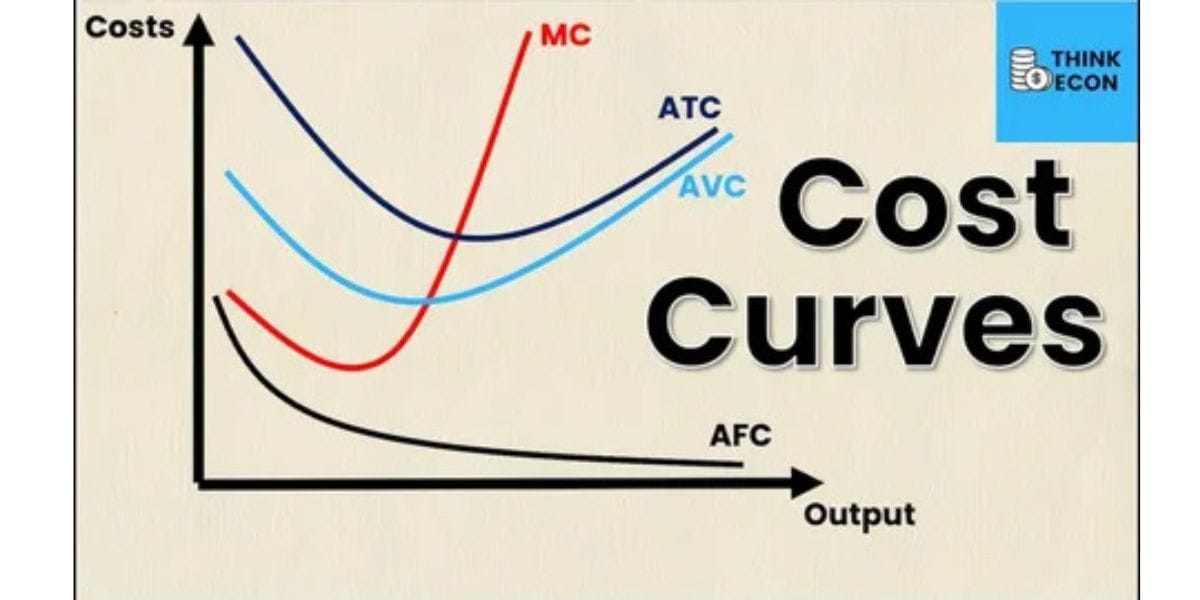
The most important financial insight is that “minutes” are your real unit cost, not “videos.” A two-minute compliance module localized into ten languages is not one asset—it’s ten minutes of output per version, plus iteration time. That’s why teams that succeed with cost control treat video like product: they plan the content calendar, standardize templates, reuse segments, and minimize rework. Pricing can be very reasonable when your workflow is clean—and surprisingly expensive when teams generate endlessly without a publishing discipline.
Synthesia AI Plan Snapshot: Who Each Tier Is For
Here’s a practical view of how plans typically map to real-world usage, based on Synthesia’s public pricing structure and stated free-tier limits.
| Plan | Best fit in practice | What you typically get | What usually pushes an upgrade |
|---|---|---|---|
| Basic (Free) | First-time evaluation and internal demos | Limited monthly minutes, a small set of stock avatars, broad language access | Watermarks/limits, collaboration needs, brand controls |
| Starter | Individual creators or small teams testing a repeatable process | More structured creation limits and core editor features | More output minutes, custom avatar needs, multi-user workflow |
| Creator | Regular production cadence for a team | Higher usage, team collaboration features, stronger production throughput | Governance, SSO, enterprise brand kits, advanced controls |
| Enterprise | Company-wide video operations | Enterprise security controls, governance features, scalable management | Usually not “features,” but volume, policy, and integration needs |
If you’re making a decision, don’t pick a plan by price first—pick it by workflow maturity. A small team with a disciplined process can get strong ROI on a mid-tier plan. A large organization with weak governance can burn money on any tier, because the cost driver becomes iteration, not licensing.
Use Cases That Actually Deliver ROI: Training, Enablement, and Updates
The clearest ROI cases are the ones where video is already required, but production friction is the bottleneck. Learning and development teams use presenter-led video to reduce onboarding variability. Sales enablement teams use video for product narratives that stay consistent across regions. Operations teams use video for change management and internal updates, where speed matters more than cinematic polish. Synthesia’s enterprise positioning explicitly highlights “train, explain and sell” use cases, which aligns with where enterprises get measurable returns.
A simple way to judge ROI is to ask what happens without video. If the answer is “We run live sessions repeatedly” or “We send long documents nobody reads,” video is already the cheaper medium—if you can produce it efficiently. A realistic example: a SaaS company ships a UI change every month. With AI video, product marketing can update a 90-second walkthrough as soon as the feature lands, localize it for key markets, and publish the same day. That kind of speed compounds into fewer support tickets, fewer enablement gaps, and better adoption.
Quality Control: How to Avoid “Generic AI Video” Syndrome
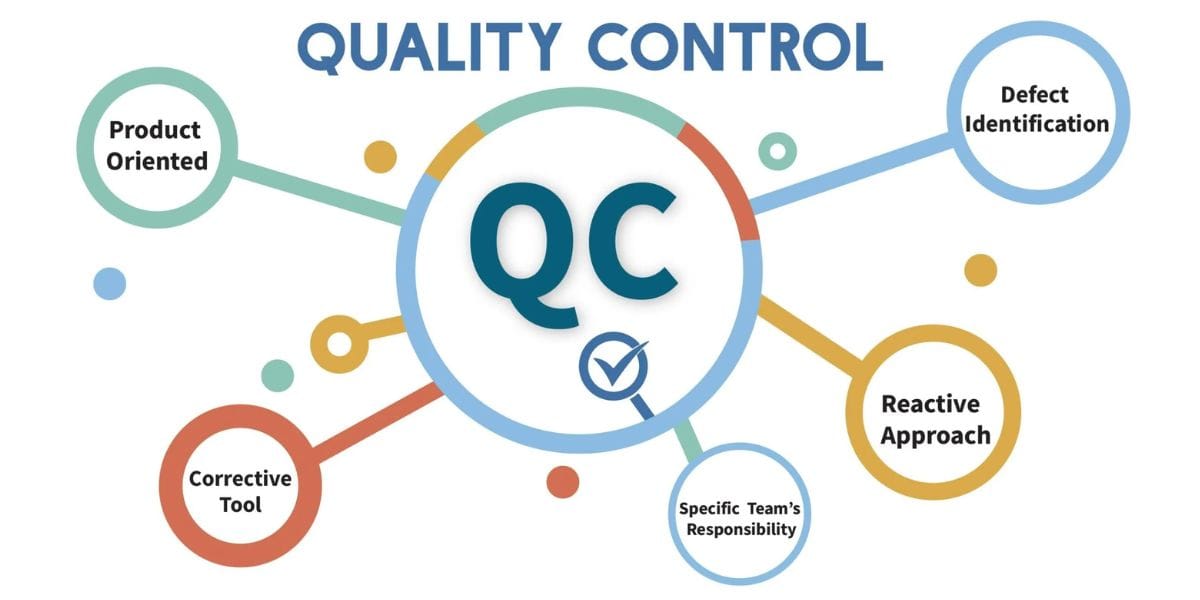
AI video has a reputation risk: some outputs feel flat, overly formal, or obviously machine-made. The fix isn’t “more features.” It’s creative direction. You need a tone guide (friendly vs authoritative), pacing rules (short sentences, active voice), and a simple visual language (consistent lower thirds, consistent transitions). Synthesia AI tools—templates, avatars, and branding controls—are enablers, but the creative system is what makes the result feel intentional instead of auto-generated.
The second quality lever is scriptwriting discipline. AI presenters amplify what you write. If the script is dense, the video becomes a lecture. If the script is structured—hook, promise, steps, recap—the video feels like a helpful human guide. The teams that get the best outcomes treat scripts like product UX: every sentence exists to reduce confusion, and every visual exists to support comprehension.
Ethics, Deepfake Anxiety, and Guardrails That Build Trust
Any avatar-based platform has to address misuse directly. Synthesia’s ethics positioning is unusually explicit, and it includes a clean consent statement: “We will never create an AI avatar without your clear consent.” That kind of line matters, because it sets expectations for how identity is handled and reassures organizations that the platform is not designed for impersonation as a default.
Beyond philosophy, guardrails show up in policies and enforcement. Synthesia AI publishes an acceptable use policy and describes governance practices built around consent, control, and collaboration, plus content moderation systems aimed at prevention rather than cleanup. For buyers, the practical question is whether these guardrails integrate with your organization’s risk model—approvals, identity management, and traceability—so you can use the tool confidently without creating brand or legal exposure.
Is Synthesia AI Worth It for Businesses and Content Creators?
For businesses, the value case is strongest when video is operational—not promotional. If you need consistent training, repeatable communications, and reliable localization, the platform can pay for itself quickly because it replaces recurring production cost with a scalable workflow. The fact that Synthesia AI offers a free plan with meaningful capabilities makes it easier to pilot and measure outcomes before committing to broader rollout.
For content creators, the answer is more nuanced. If your channel’s brand is “me on camera,” AI presenters can feel off-brand unless you’re using a custom avatar with a clear creative purpose. But if your goal is educational explainers, multilingual reach, or high-volume product-style content, it can be a powerful tool—especially when you treat it as a production assistant rather than a full replacement for your creative identity. “Worth it” depends less on the feature list and more on whether your audience wants a human story or a scalable explanation.
When You Should Choose an Alternative Instead
Synthesia AI is built around presenter-led business video. If your content is cinematic, heavily animated, or designed for viral social aesthetics, you may want a tool that prioritizes generative visuals, advanced motion graphics, or social-native editing. Synthesia AI can still support visual variety, but its core advantage is clarity and consistency at scale—not flashy novelty.
There are also cases where alternatives win on workflow fit. Some teams want a “faceless” video style with fast B-roll generation; others want deep integration into an existing editing suite; others want a specialized tool for short-form ads. The right choice comes down to your output constraints: presenter-led vs faceless, enterprise governance vs solo speed, and localization depth vs single-market polish.
Implementation Playbook: How Enterprises Roll It Out Without Chaos
A smooth rollout starts with a narrow pilot that has real stakes. Pick one use case with a measurable baseline—like onboarding time, support ticket volume, or sales ramp speed—and build five to ten videos using a single template. Then you measure: creation time, review cycles, engagement metrics, and update effort when something changes. This turns the evaluation into operational truth, not opinions from a demo.
Once the pilot works, scale with standardization. Build a template library, define brand kit rules, clarify publishing roles, and set a lightweight review process. If your organization already uses SSO and centralized identity management, align that early so access control is clean from day one. Governance should feel like a runway, not a cage—clear enough to protect the brand, flexible enough to let teams move quickly.
Conclusion
Synthesia AI has become a practical answer to a widespread business challenge: creating and updating video quickly, consistently, and across languages. Its positioning around expressive avatars, flexible input methods, translation with lip sync, and enterprise governance explains why it’s firmly in the “video operations” category rather than the “toy tool” category.
If you’re evaluating the platform in 2026, make the decision the way strong teams make any tooling decision: pilot a real use case, measure time saved and outcomes improved, and confirm security/governance fit early. When the workflow is disciplined, AI video stops being a novelty and becomes infrastructure—a way to communicate at the speed your organization actually changes.
FAQ
Can Synthesia AI create videos for free?
Yes Synthesia AI states it offers a free plan that includes 10 minutes of video per month and a limited set of stock avatars, which can be enough to test workflows before upgrading.
What Is Synthesia AI and How Does It Work?
synthesia ai works by letting you turn scripts (and other inputs like documents or URLs) into videos with AI avatars and synthetic voices inside a browser-based editor.
What Are the Key Features of Synthesia AI in 2026?
In 2026, standout capabilities include Express-2 avatars with natural gestures, translation/dubbing with lip sync, and enterprise controls like brand kits, SSO, and governance safeguards.
Is Synthesia AI Worth It for Businesses and Content Creators?
synthesia ai is often worth it for teams producing repeatable training and localized communications, while creators get the most value when they need scalable presenter-led explainers rather than highly cinematic content.
Does Synthesia support consent and misuse prevention for avatars?
Yes—Synthesia AI publicly emphasizes consent-based avatar creation and publishes governance and acceptable-use policies designed to reduce impersonation and misuse risks.
What security standards does Synthesia claim in 2026?
Synthesia AI trust and security pages reference SOC 2 Type II compliance and ISO certifications, including ISO/IEC 27001 and ISO/IEC 42001, alongside GDPR compliance.